AI · Accessibility · Concept · May 2026

AI gives brilliant answers. Then buries them.

PACE, a Personalized Adaptive Cognitive Experience, is a proposal for reshaping AI output around how people actually read.

✦Self-initiated · Now being built as a Claude plugin
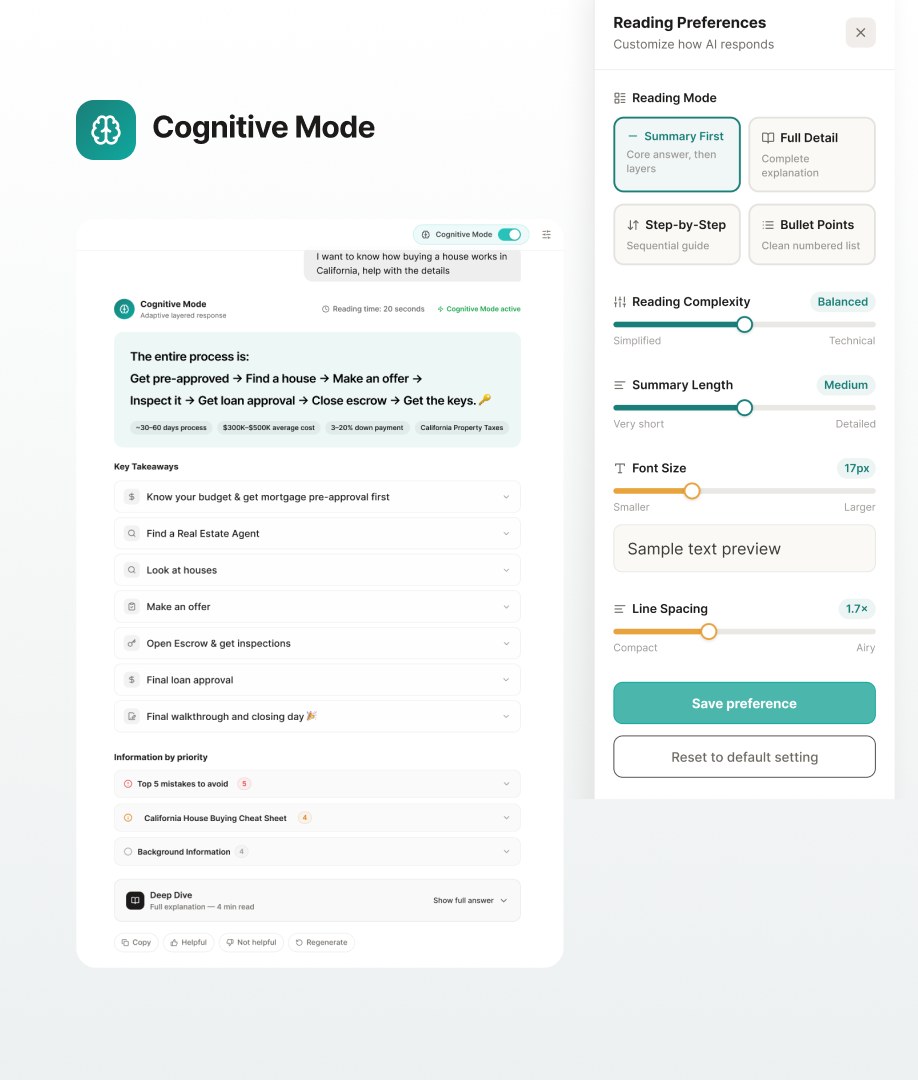
Cognitive Mode: an AI answer in layered summary form beside a Reading Preferences panel
Role
Solo designer
Type
Self-initiated concept
Timeline
May 2026
Shared with
Designers at OpenAI, Gemini, Claude and Perplexity, via LinkedIn
01

The problem

AI answers are written for how the model writes, not how people read. The insight is often in there, but it's buried in long scrolls of dense text. The longer the answer, the more reading itself becomes the bottleneck.

Today, the only way to change that is to re-prompt: “shorter,” “use bullets,” “explain simply.” Every user, every time.

PrincipleReading depth should be a user setting, not a prompt.

02

The idea

One toggle: Cognitive Mode. It can be added to any chat interface and reshapes the output around how the reader reads, without changing what the model knows.

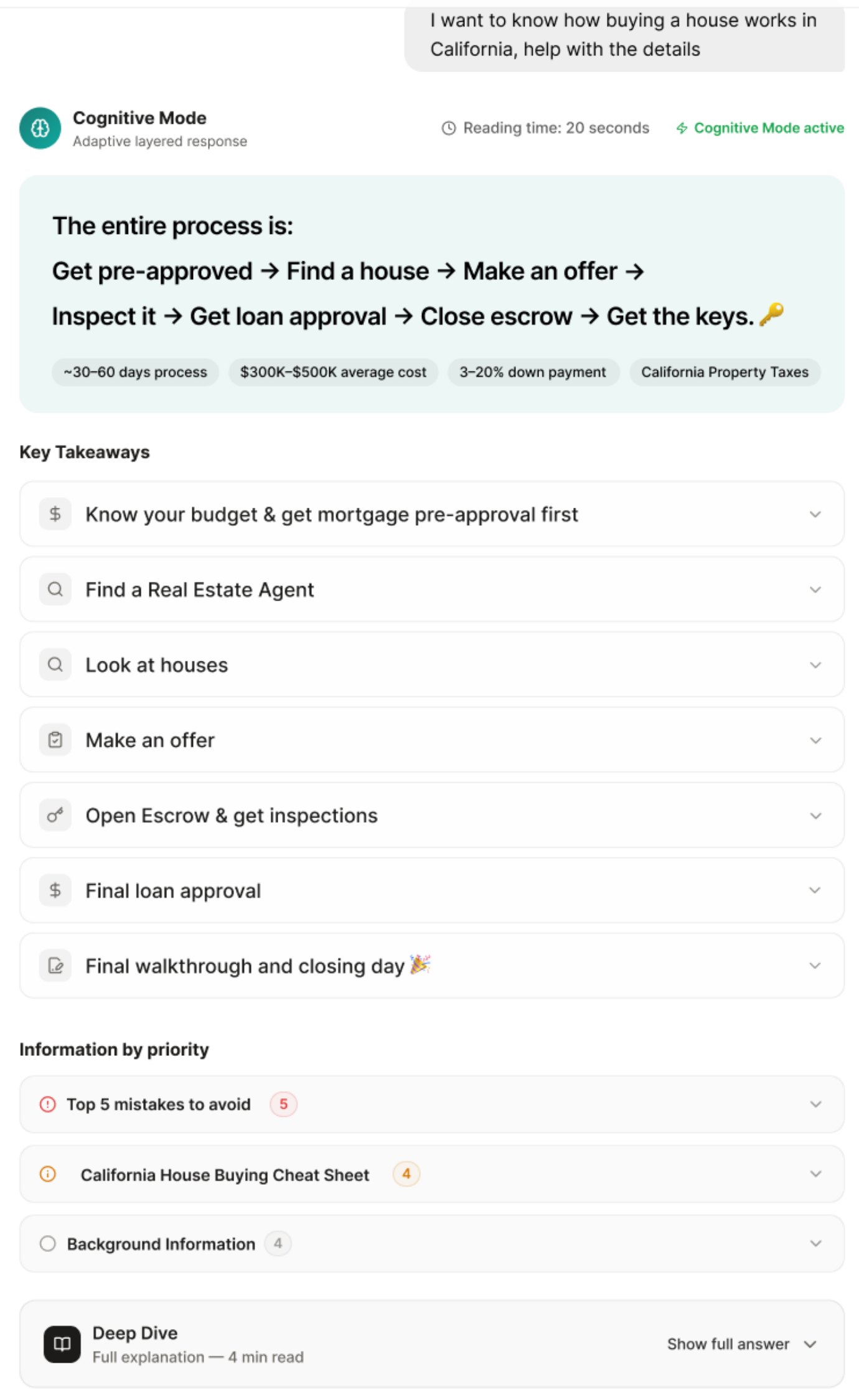
Same question, two answers: a 10-minute wall of text, or a 20-second answer with the detail one tap away.
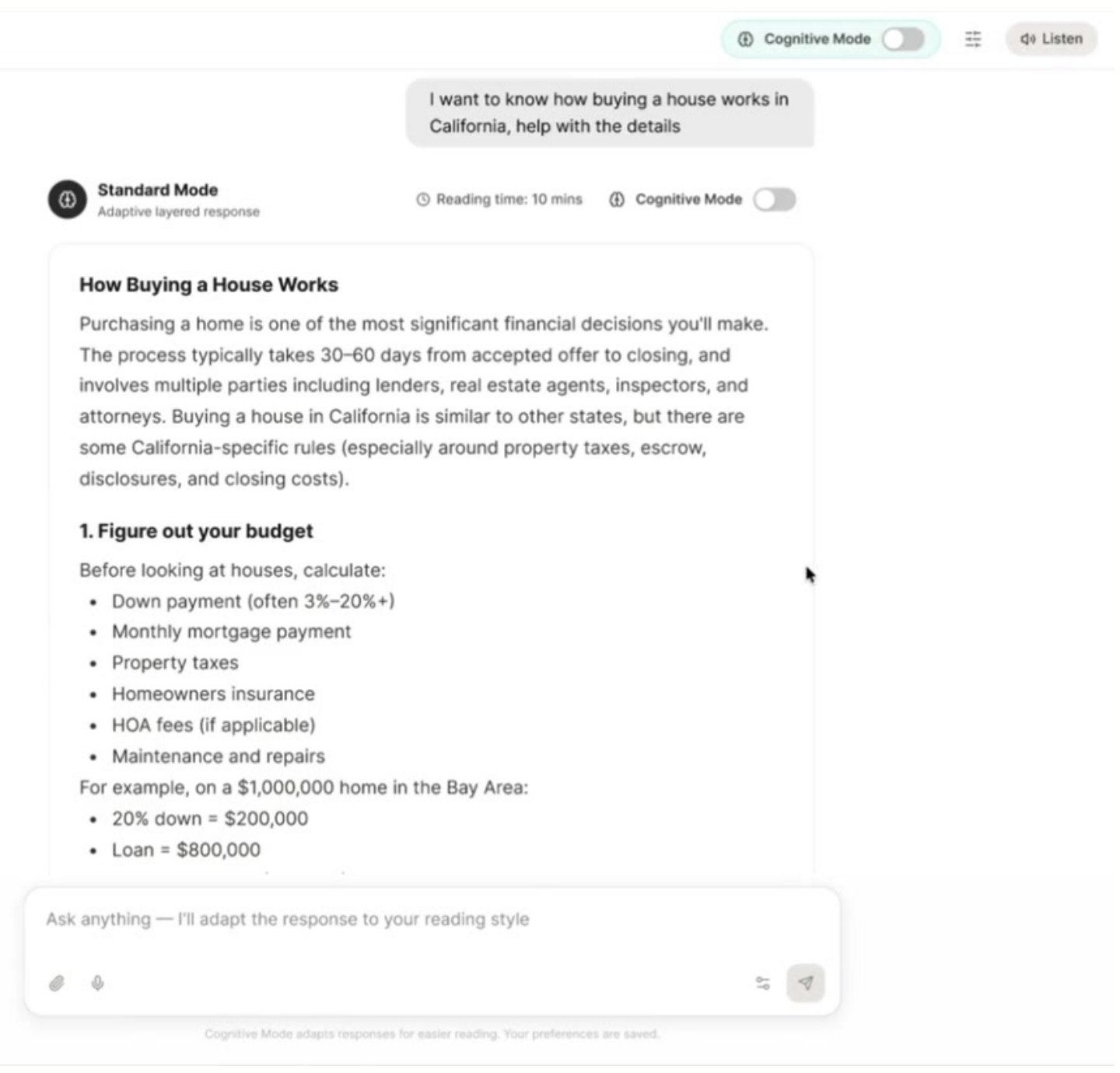
Standard mode: a long, dense answer about buying a house in California, with a 10-minute reading time
StandardReading time: 10 minutes
Cognitive Mode: the same answer as a one-line process summary, key takeaways and a deep-dive option, with a 20-second reading time
Cognitive ModeReading time: 20 seconds
03

Shaped by the task

Different questions deserve different shapes. Instead of one format for everything, PACE picks the output that fits what you're trying to do.

  1. 01

    Write or summarize

    Layered, from glance to depth.

    1. TL;DR One-sentence answer, instantly
    2. Key points 3–5 spaced chunks, each tappable to hear aloud
    3. Deep dive The full answer, every point linked to its source
    Layer 1 · 5 secThe entire process is: Get pre-approved → Find a house → Make an offer → Close → Get the keys.
    Layer 2 · 20 sec
    Layer 3 · 4 minDeep dive · Show full answer ↓
  2. 02

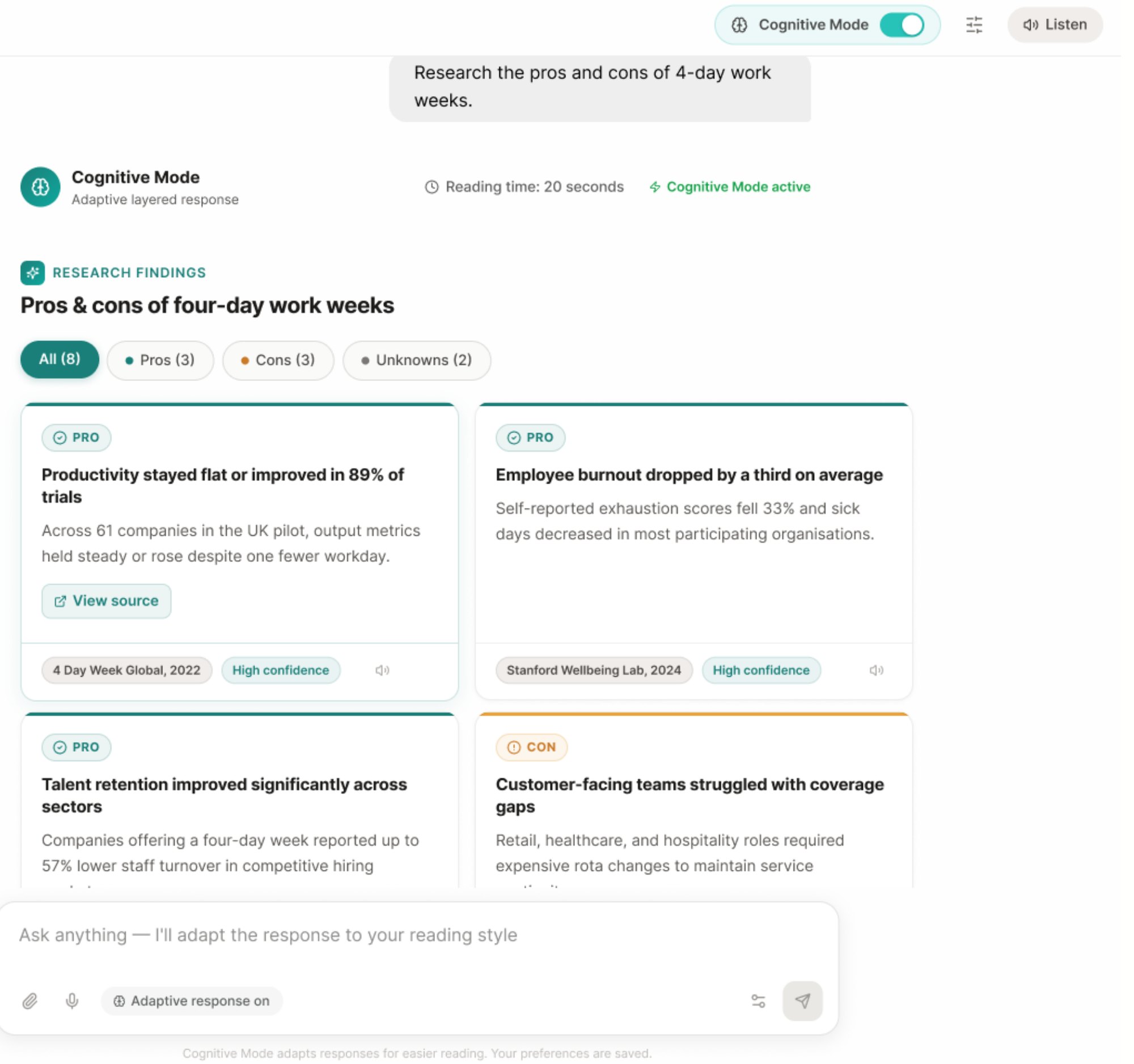
    Research & analysis

    A findings dashboard, not an essay.

    1. Insight cards Each finding is one card, with source and confidence
    2. Filter chips Slice by pros, cons or unknowns instead of reading linearly
    3. Read it to me Plays the cards in sequence, like a podcast brief
    Research findings on four-day work weeks shown as filterable pro and con cards
  3. 03

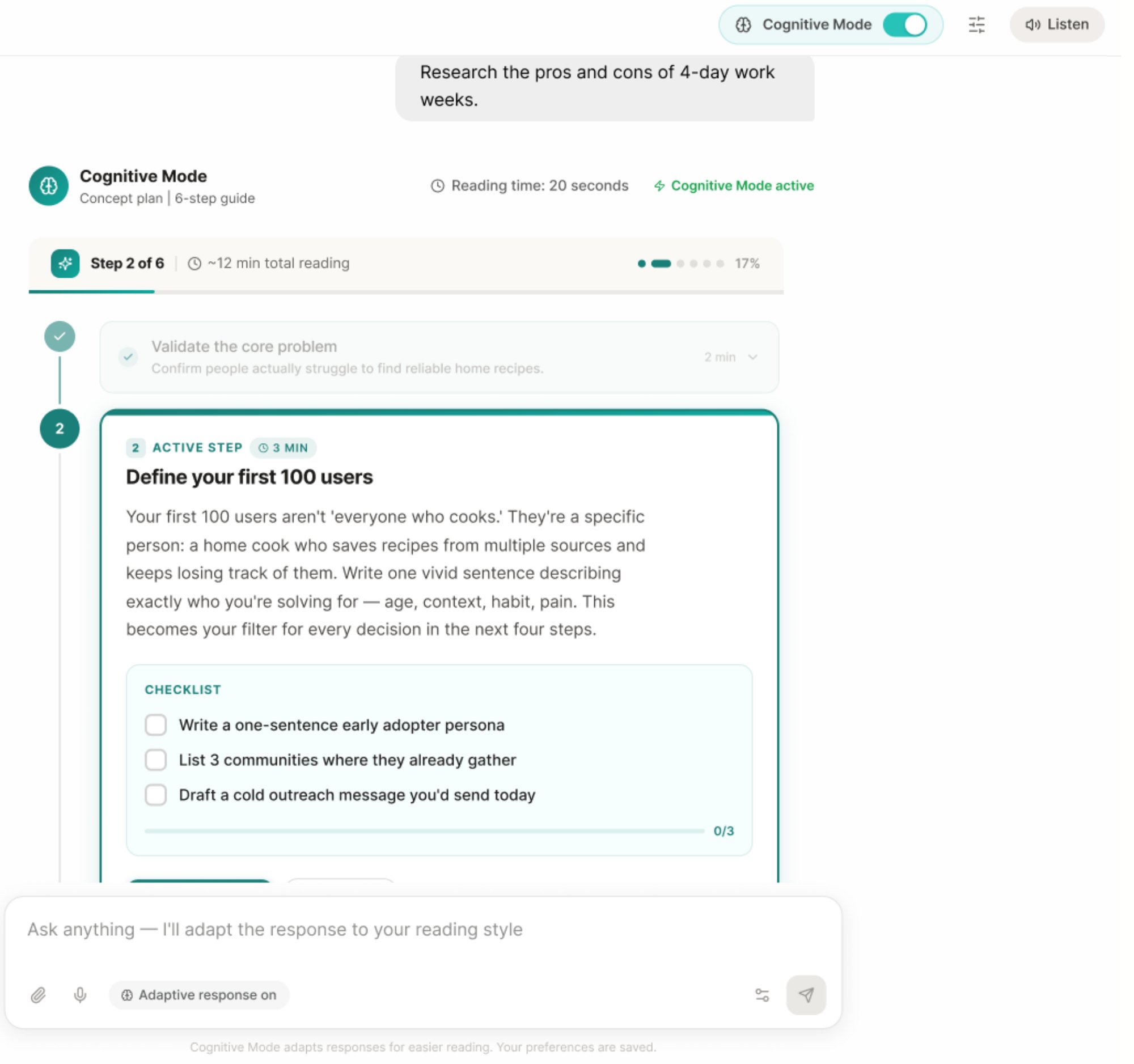
    Generating a concept

    Instructions that become a checklist.

    1. Steps A short title and a one-line description each
    2. Mini-map A persistent progress bar shows where you are
    3. Mark as done Turns instructions into a checklist
    Step 2 of 6 in a concept plan, with a progress bar and checklist
  4. 04

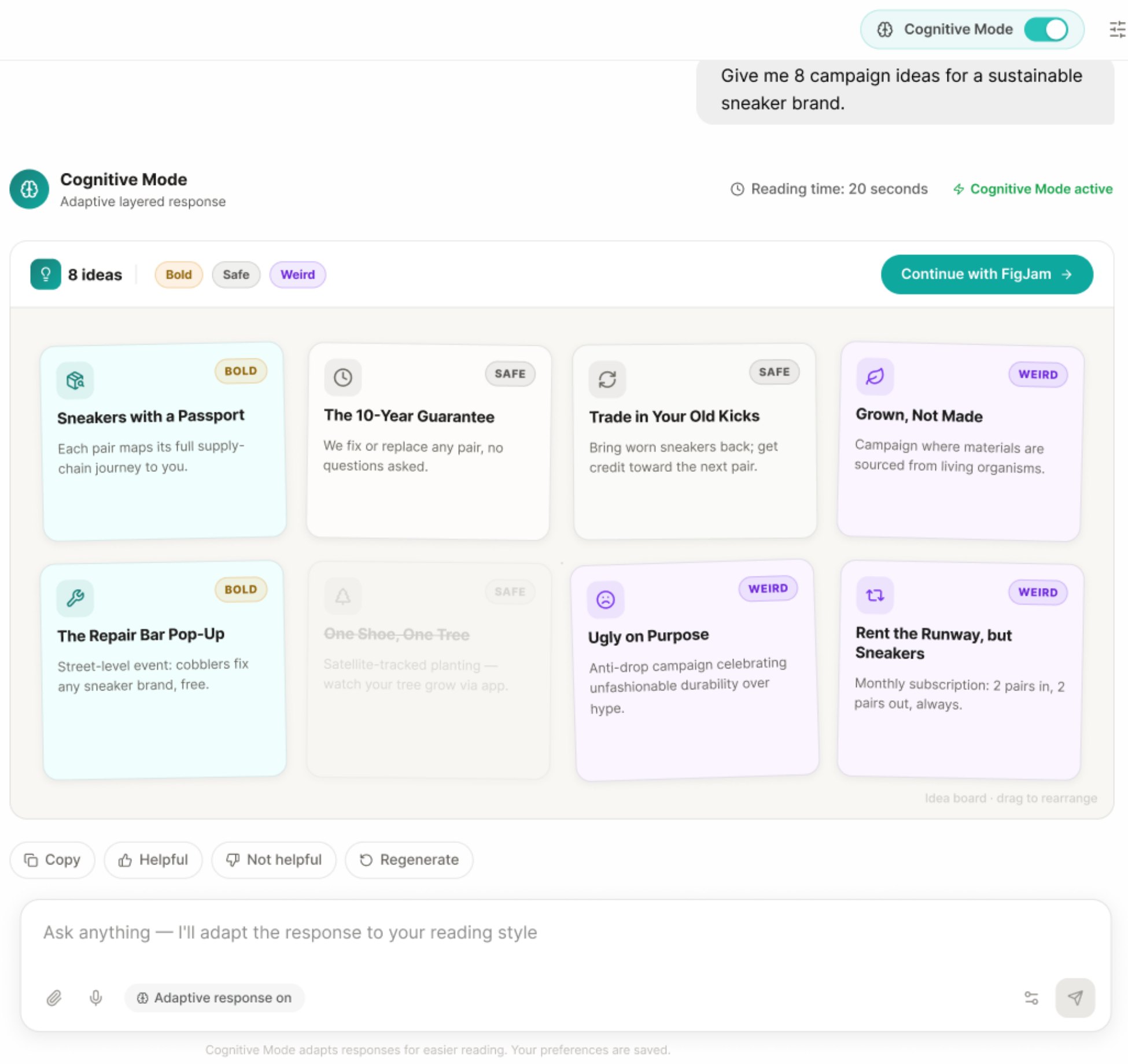
    Creative brainstorming

    Ideas on a canvas, not in a list.

    1. Idea cards Each idea is a card on a grid, tagged bold, safe or weird
    2. Expand Develop any card further
    3. Continue in FigJam Turns the cards into sticky notes on a board
    Eight campaign ideas shown as tagged cards with a Continue with FigJam button
04

Reading preferences

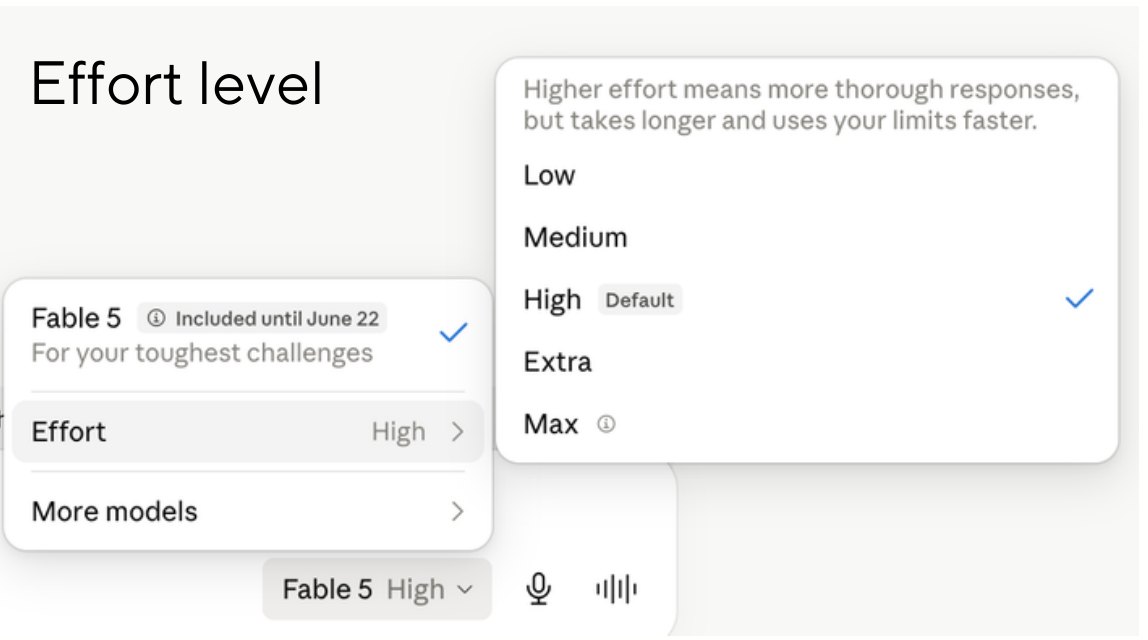
We can choose an AI's effort level. Why not how it speaks?

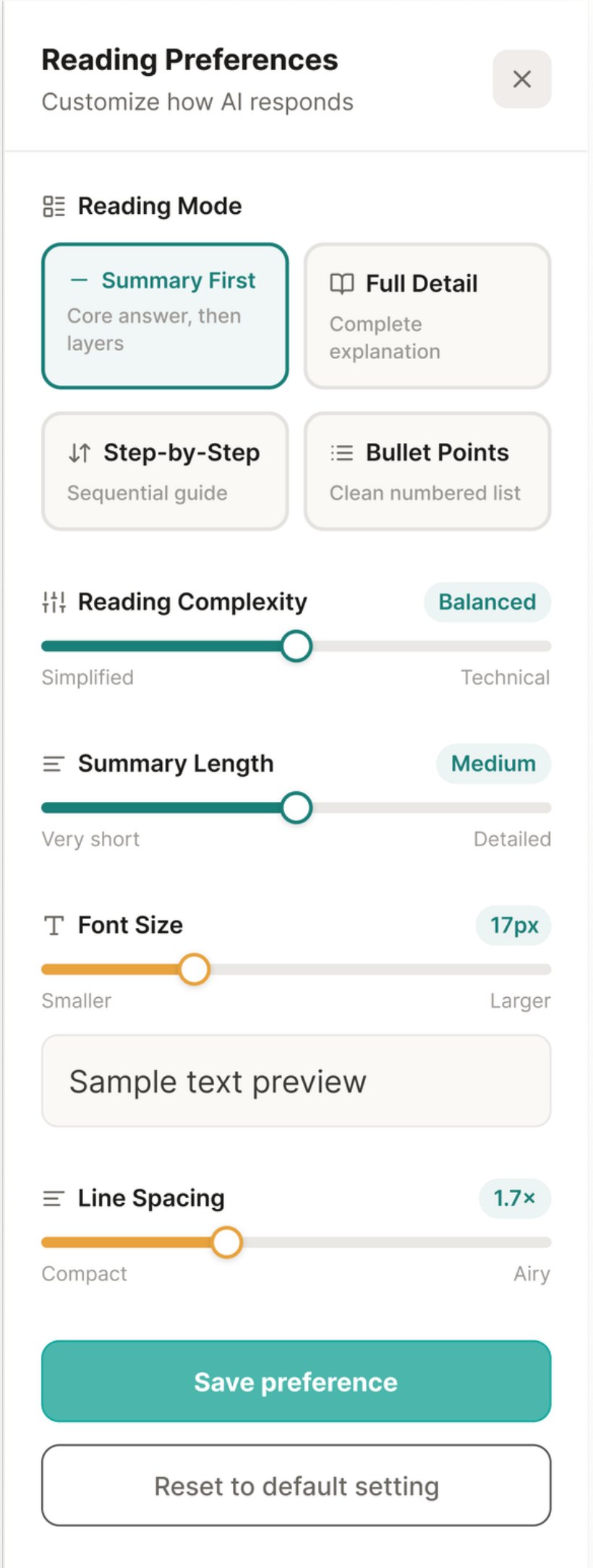
Same pattern, pointed at the output. The effort setting controls how hard the model works; Reading Preferences control how the answer reaches the reader: mode, complexity, length, font size and line spacing.

The interaction pattern already exists. PACE just points it at the output.

An existing effort-level menu with Low, Medium, High, Extra and Max options
Existing pattern: model effort
Reading Preferences panel with reading mode, complexity, summary length, font size and line spacing controls
PACE: reader preference
05

Heard, not read

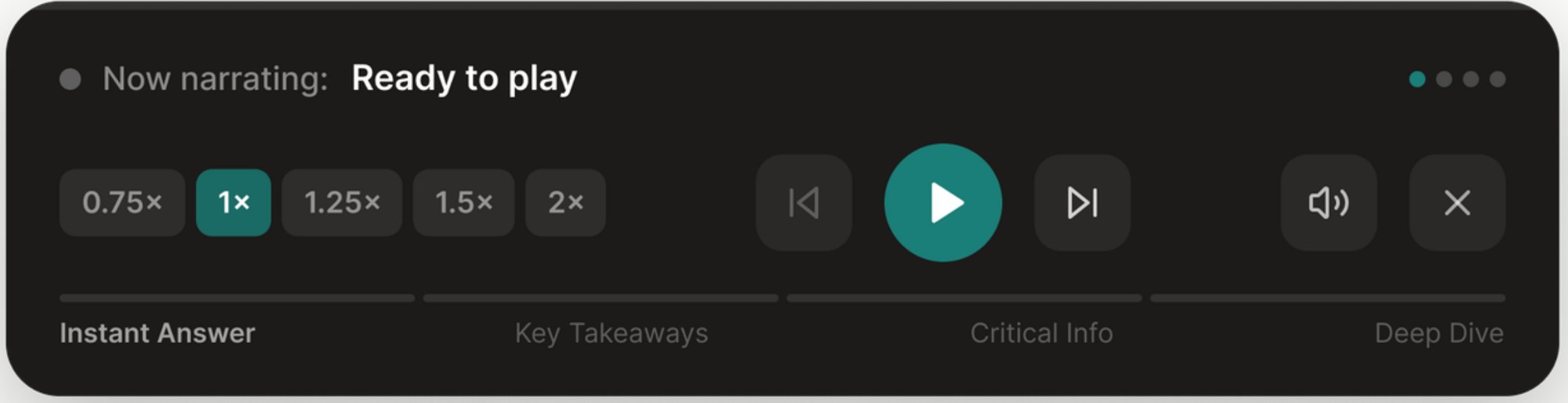
An 8-scroll answer becomes a 4-minute listen on a walk or commute. For many readers, audio isn't a feature, it's the primary interface. Narration follows the same layers: instant answer, key takeaways, critical info, deep dive.

Narration player with playback speeds and chapters: instant answer, key takeaways, critical info, deep dive
06

Where it's going

Layered, scannable and adaptive. The concept has been shared with designers at OpenAI, Gemini, Claude and Perplexity, and I'm now building it as a Claude plugin.

  1. Now

    A manual toggle

    Cognitive Mode in any chat interface.

  2. Next

    Preferences that persist

    Your depth, your format, your voice settings.

  3. Beyond

    Output that adapts itself

    Shorter when you're skimming, audio when you're moving, visual when you're comparing.

“How would you redesign AI outputs?”

More work

From AI outputs to the parking lot.

See the MAD Award–winning returns work at Sam's Club: self-service kiosks and curbside returns.

Kiosk Returns